
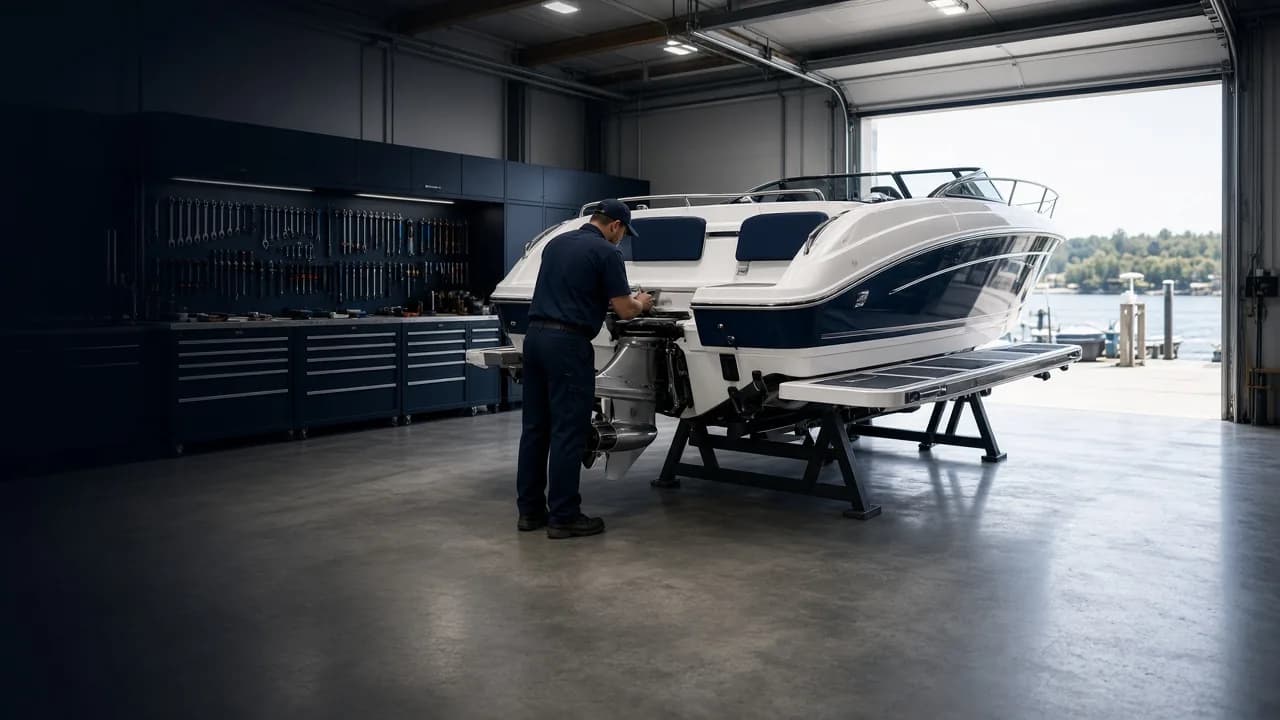
Take control of your dealership's service operations.
Service writers plan on desktop. Technicians work their Jobs on the phone.
Why it works
Run the service department, not the whiteboard.
Every job on one Work Order
Split a visit into Jobs, each with its own tasks, parts, labor and technician.
A schedule you can see
Day, week and technician views, with a warning when bookings overlap.
Job totals you can trust
Parts, labor, supplies, discounts and tax, worked out the same way every time.
Desktop portal
Plan, assign and price the work.
Work Orders, the schedule and Job totals in the browser.
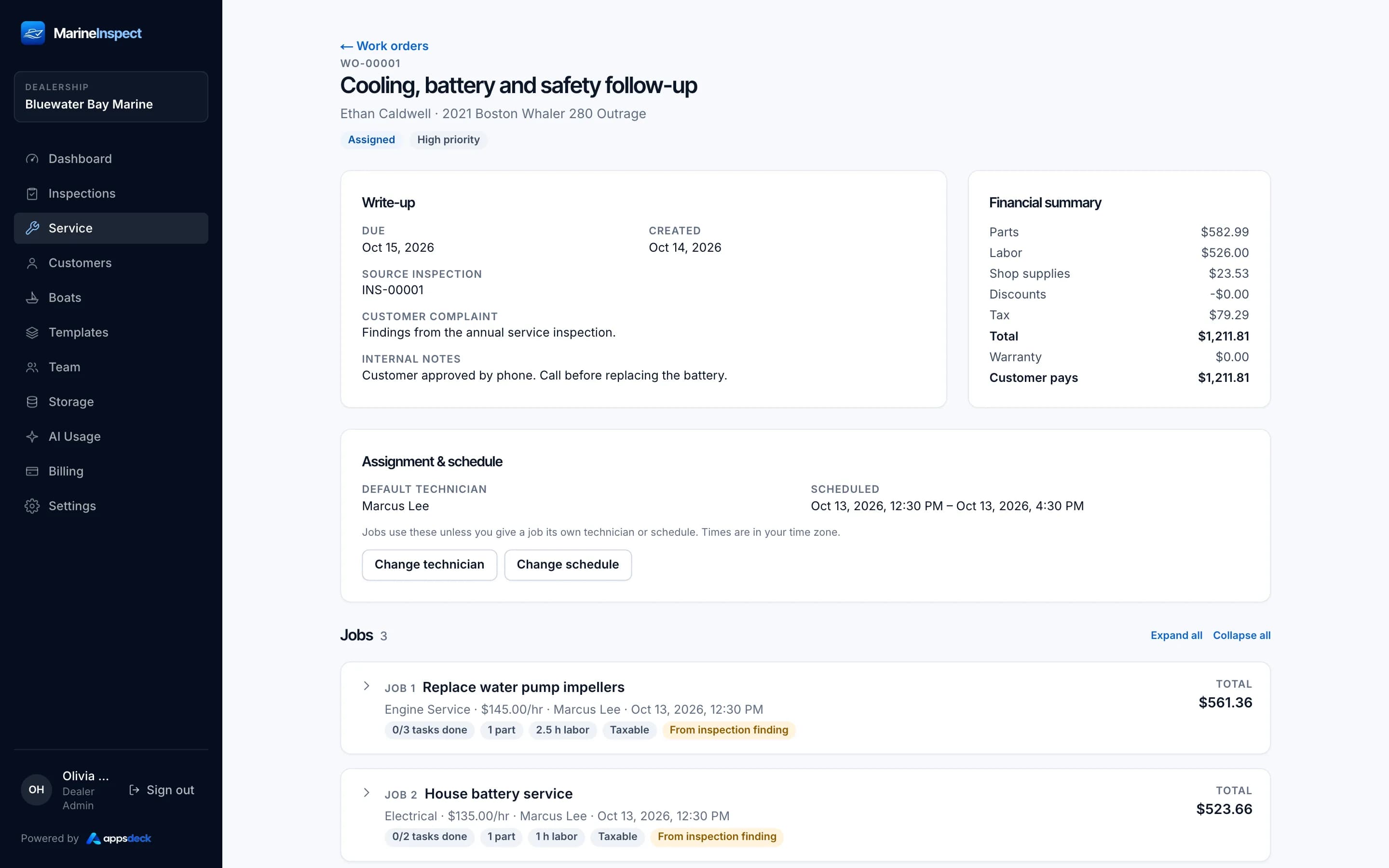
Work Order detail
Jobs, tasks, parts and labor for one Work Order.
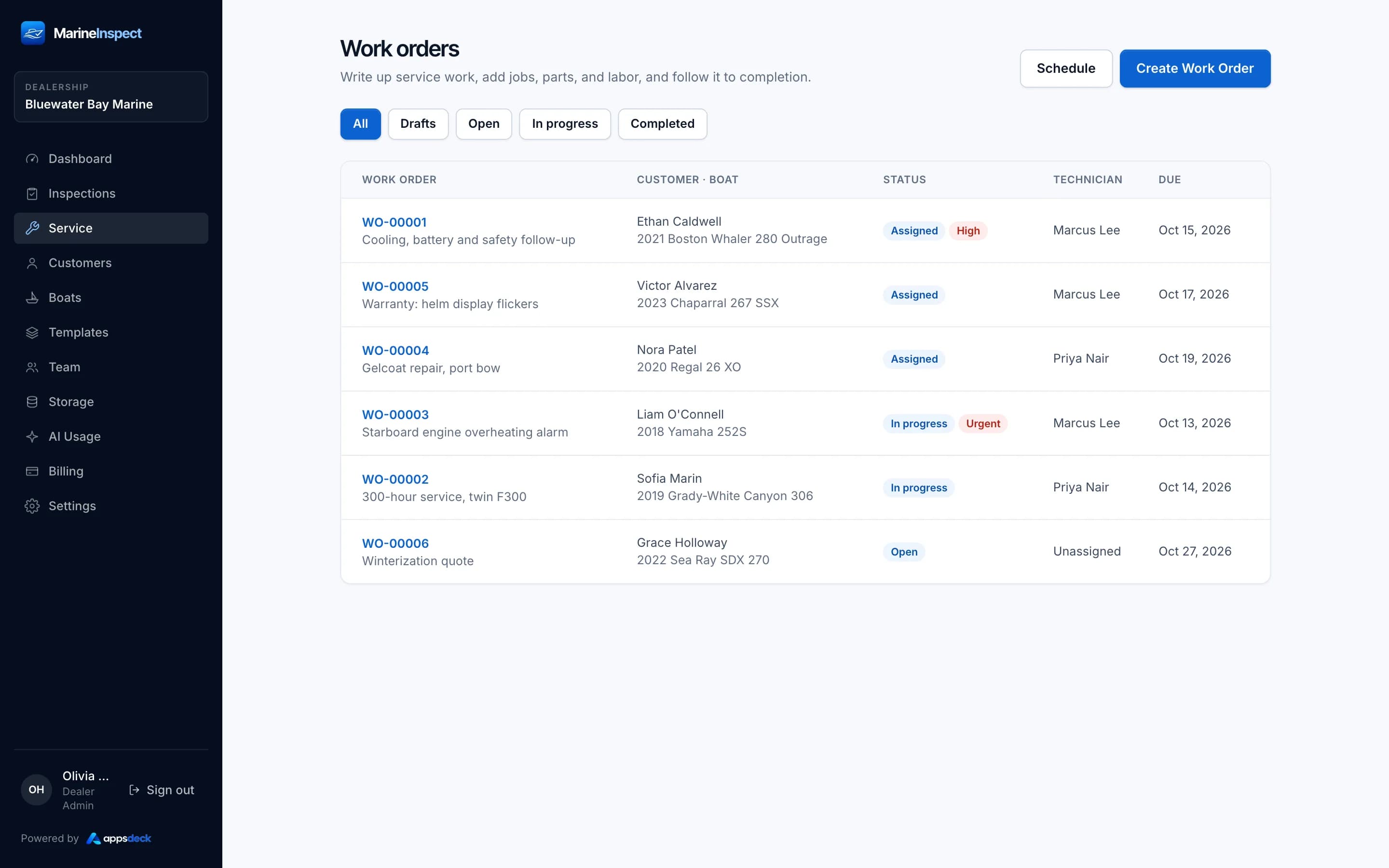
Work Order list
Open, scheduled and completed Work Orders with technician and boat.
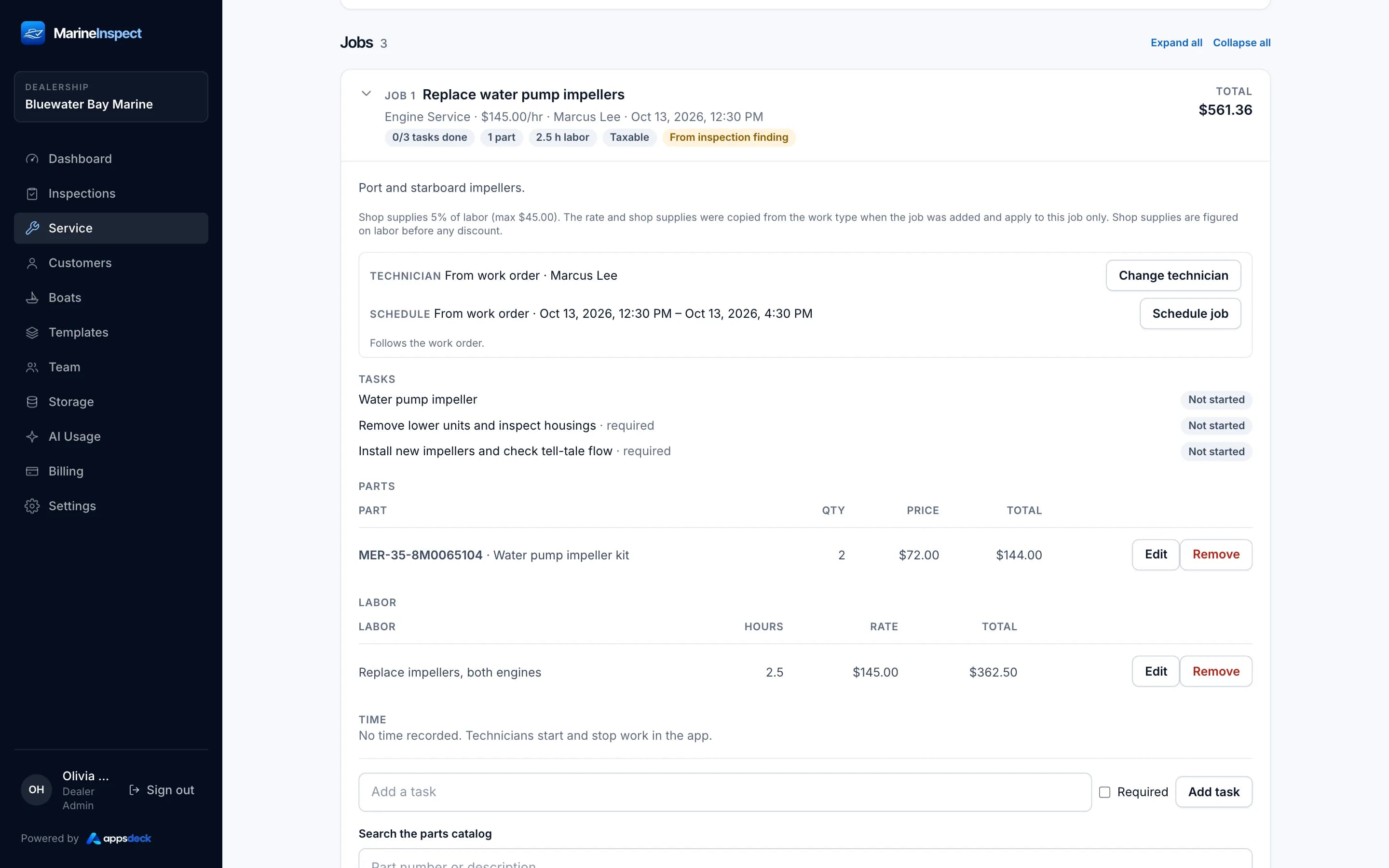
Job financial summary
Parts, labor, shop supplies, discounts and tax worked out per Job.
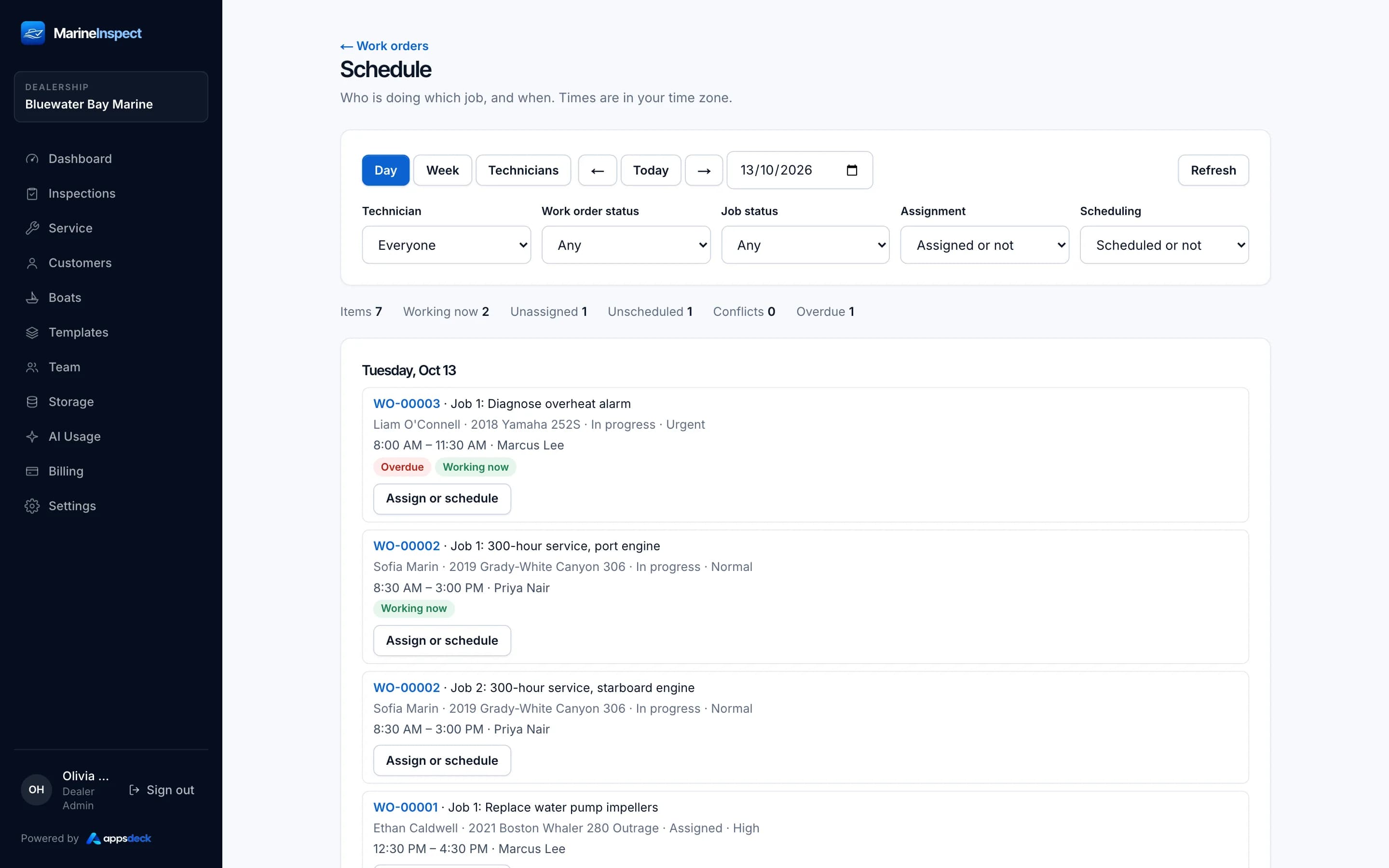
Scheduling: Day view
Plan the day across technicians and Jobs.
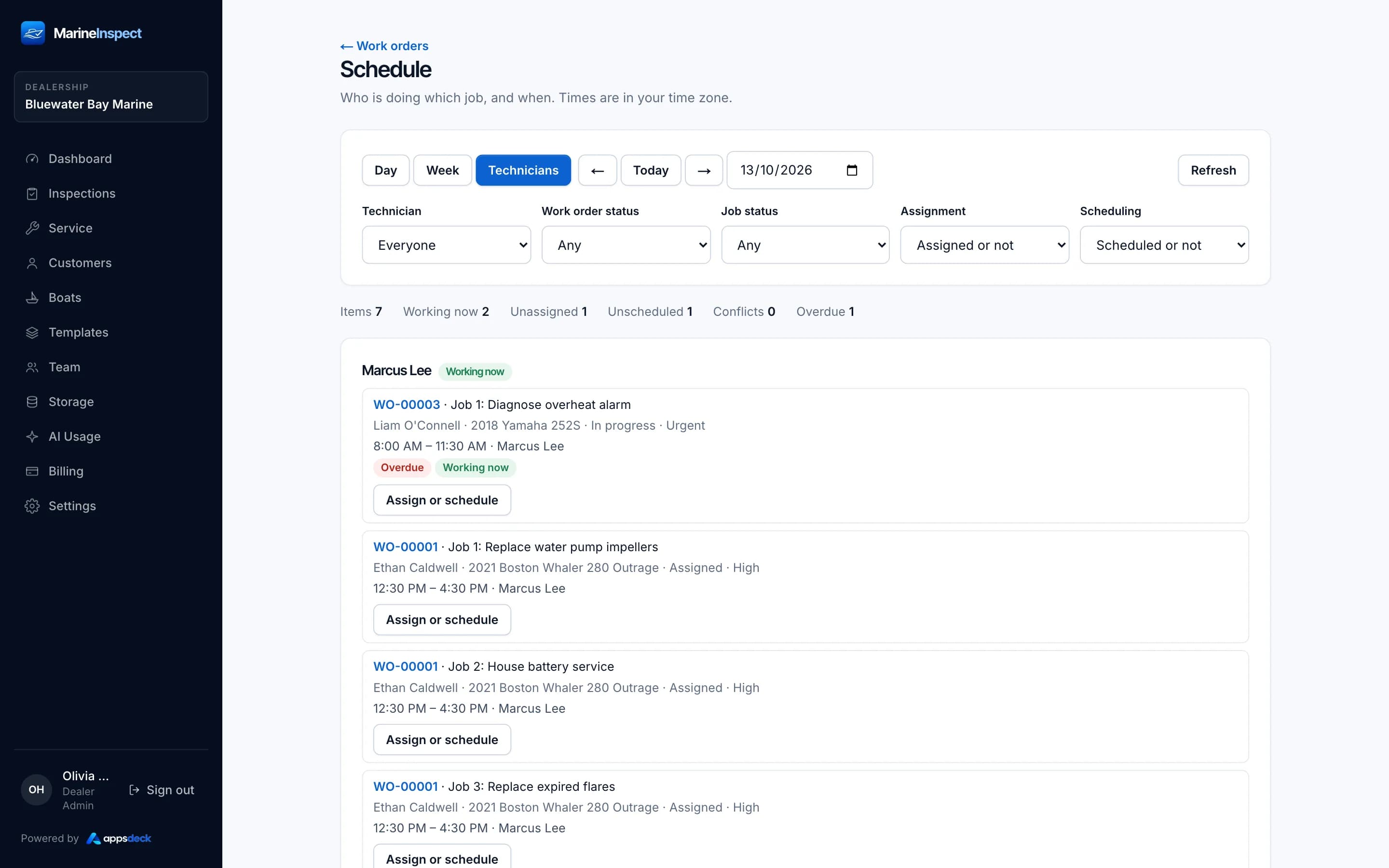
Technician scheduling
Each technician's assigned Jobs and time in one view.
Features
Built for marine service work.
Work Order management
Create, schedule and track Work Orders from draft to completion, numbered per dealership.
Multiple Jobs per Work Order
Split a visit into Jobs, each with its own tasks, parts, labor and technician.
Work Types
Define kinds of work with a default labor rate and shop supplies rule.
Task management
Break each Job into tasks, mark required tasks, and track them to done.
Parts catalog and imports
A searchable dealership parts catalog, with bulk import validated on the server.
Parts and labor
Record parts and labor lines on each Job. Technicians never see part costs.
Shop supplies
Percentage or fixed shop supplies per Work Type, with an optional cap.
Discounts and tax calculations
Job discounts and tax rates for parts, labor and shop supplies, worked out in one place.
Technician assignments
Give a Work Order a default technician, and override it on any Job.
Scheduling
Day, Week and Technician views of the schedule, with conflict warnings.
Time tracking
Technicians start and stop a timer on the Job. Times come from the server, not the phone.
Assignment and schedule history
Every assignment and schedule change is recorded, whoever made it.
Inspection links and findings
Link Work Orders to inspections of the same boat, and create Jobs from findings.
Mobile app
Technicians see their work, and only their work.
Their assigned Jobs, the tasks and a timer, on the phone.
- Assigned Work Orders and Jobs
- Tasks on each Job
- A timer on every Job

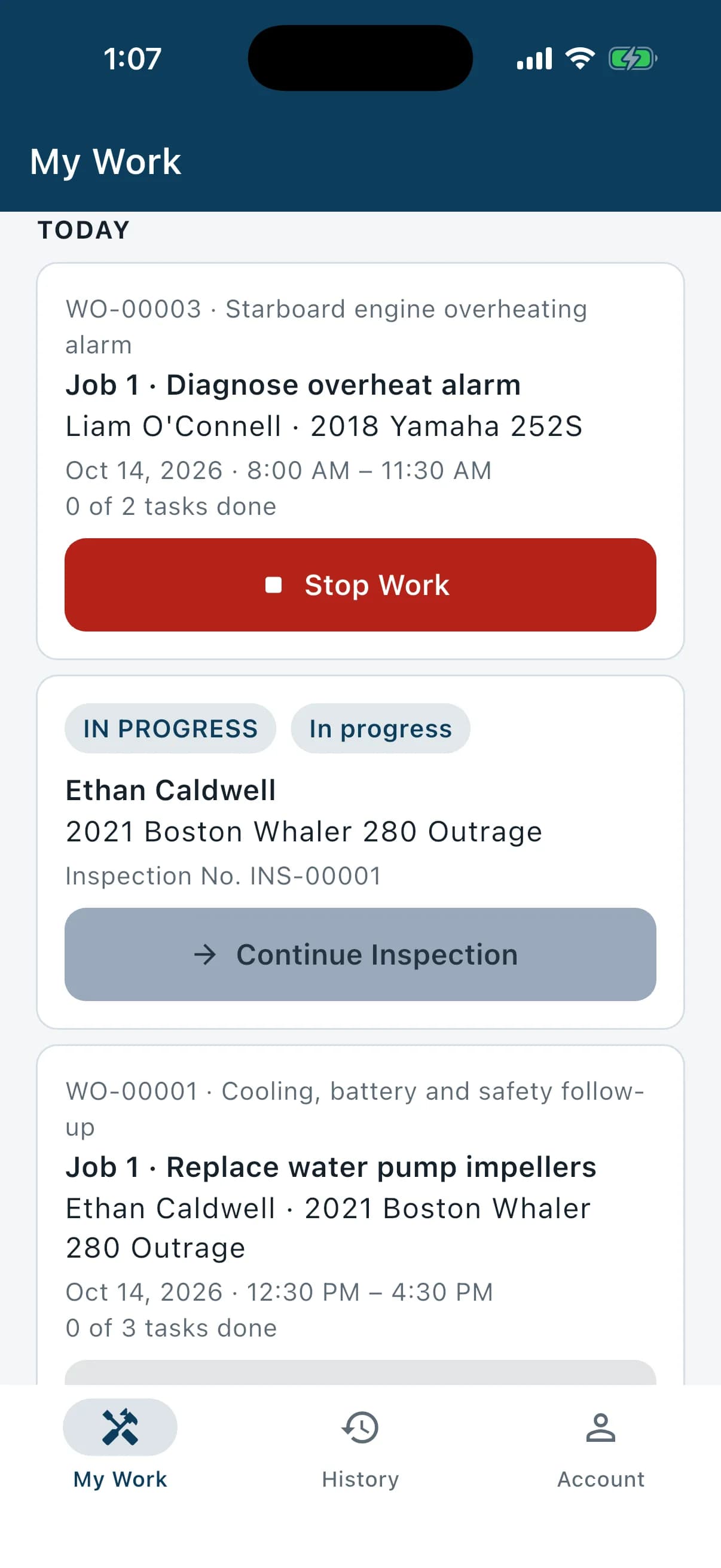
Today's work Today's work
Today's Jobs and inspections in time order, ready to start.
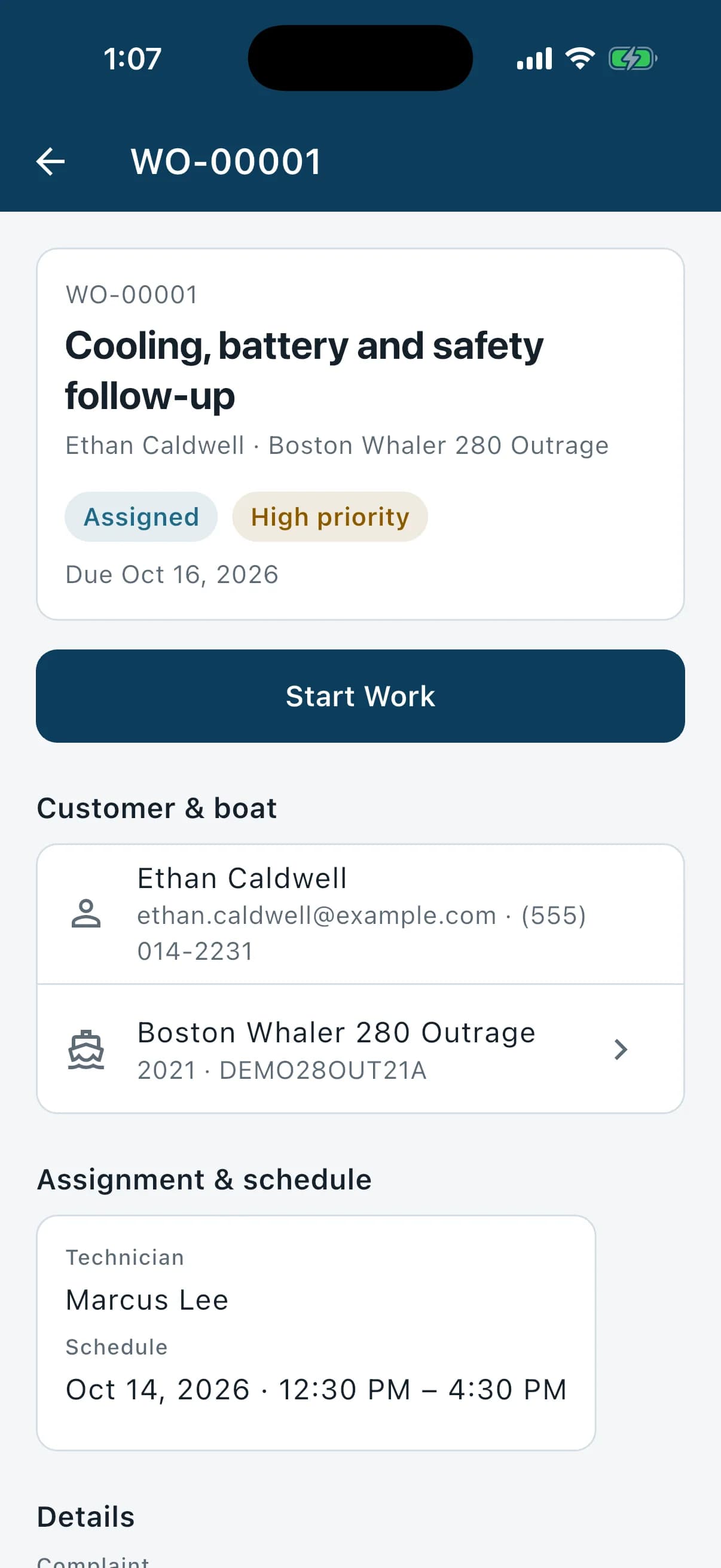
Assigned Work Order Assigned Work Order
The customer, boat and schedule for each Work Order assigned to the technician.
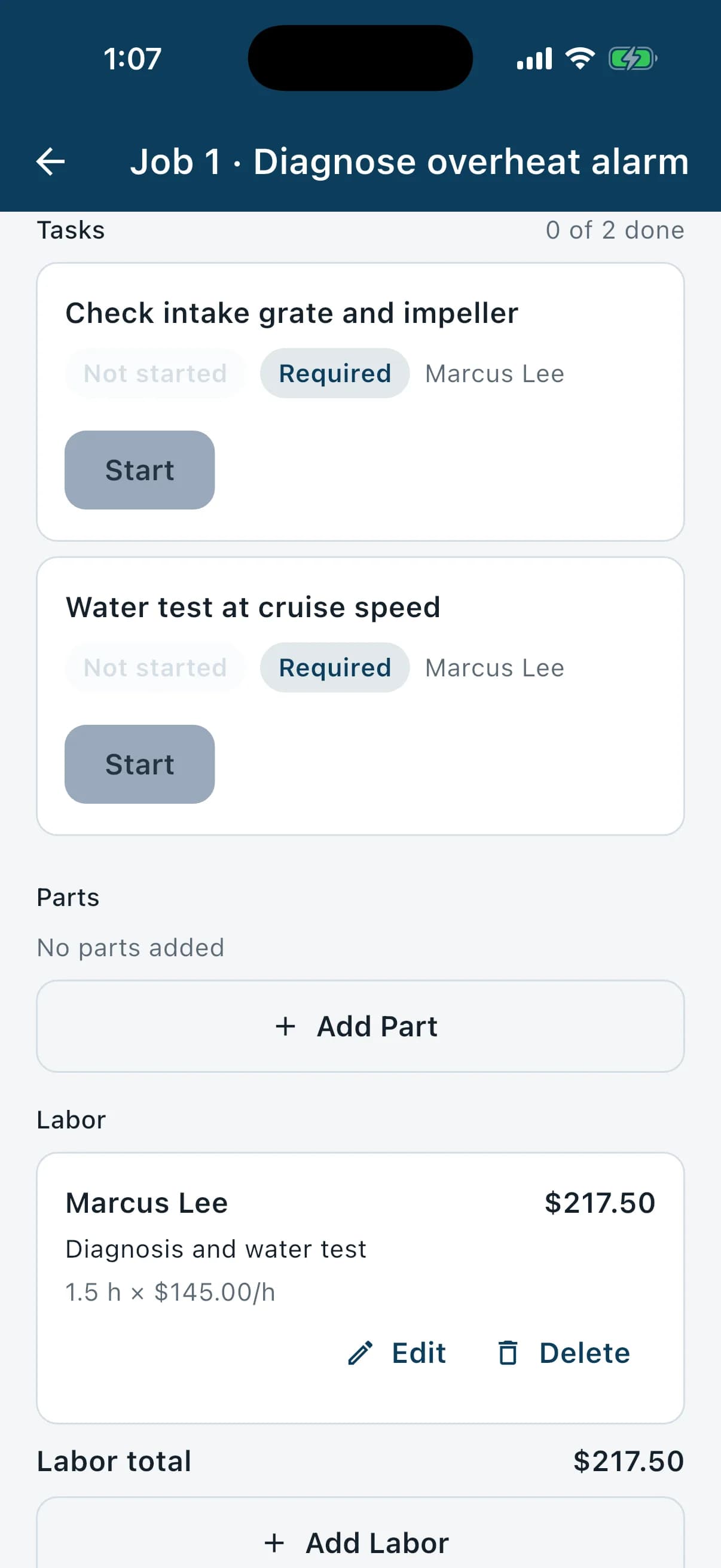
Job tasks Job tasks
Work through the tasks on each Job and see how many are done.
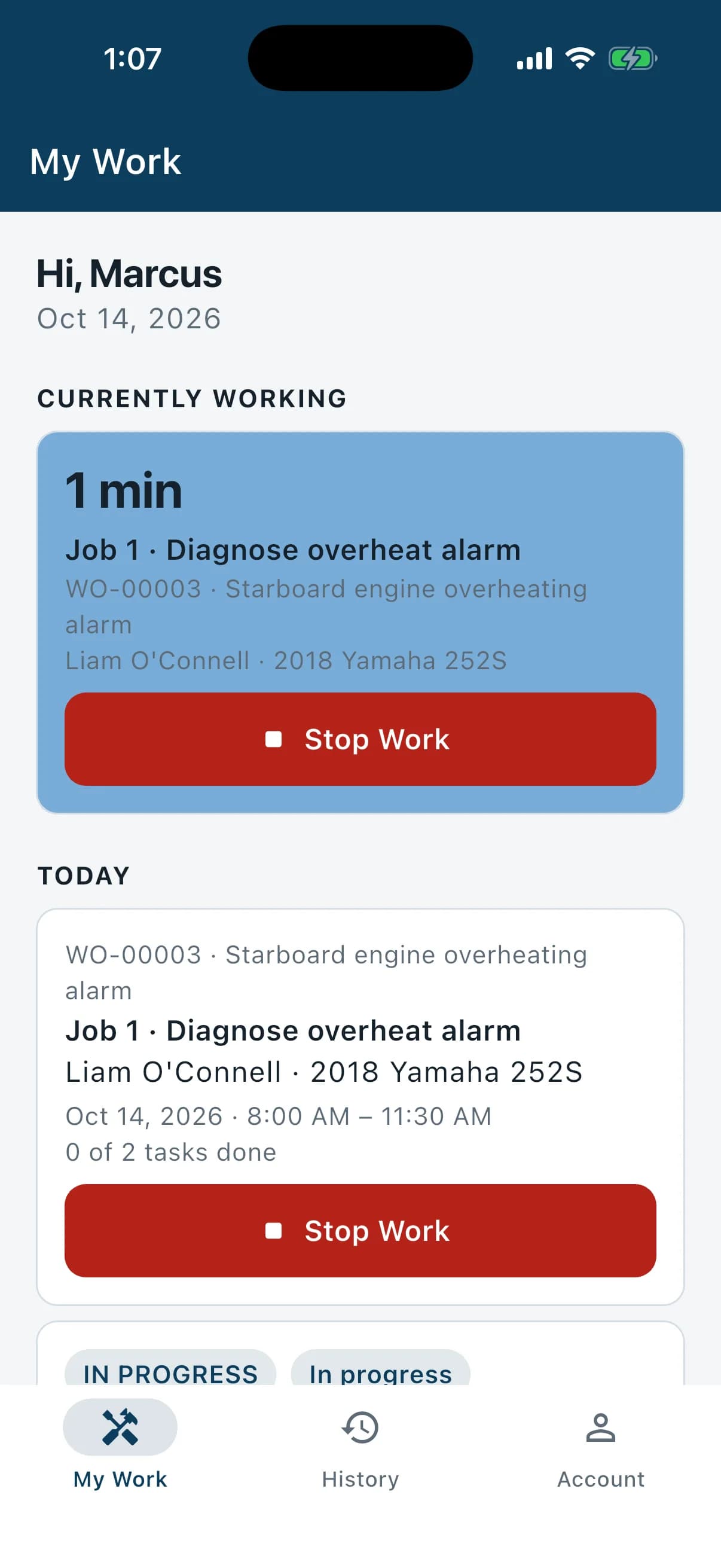
Job timer Job timer
The running Job timer sits at the top of My Work, with Stop Work one tap away.

Part of Marine Apps
Service work that starts with the inspection.
Start a Work Order from an inspection. Its findings become Jobs.
- Linked to the boat's inspections
- Shared customers and technicians
- Service history kept with the boat
Keep exploring.
- MarineInspectDigital boat inspections with photos, videos and PDF reports.Learn more
- The platformHow the modules, roles and devices fit together.Learn more
- All featuresEverything in MarineInspect, MarineService and the platform.Learn more
- Free trial14 days, your whole team, no payment details.Learn more

Start managing your dealership smarter.
Try Marine Apps free for 14 days. Explore MarineInspect and MarineService with your dealership team. No payment details required.
- 14 days free
- No payment details
- Both modules included