
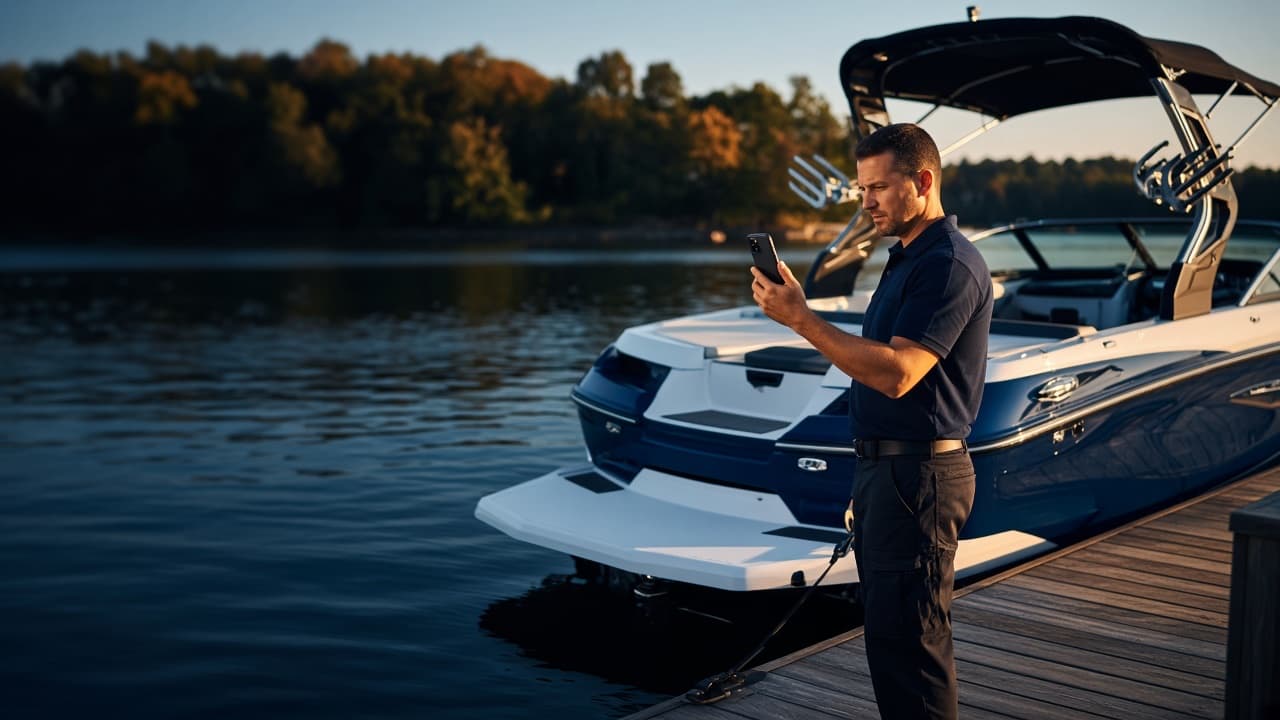
Marine inspection software for boat dealerships
Professional boat inspections, built for modern dealerships.
MarineInspect gives your technicians one consistent way to inspect a boat, capture photo and video evidence, and deliver a professional report to the customer, with every inspection organized for the whole dealership.
- Mobile app for technicians
- Web portal for dealer admins
- Monthly plans
- 01TechnicianInspects on the mobile app
- 02InspectionCheckpoints, notes, photos, video
- 03ReportDealership-branded PDF
- 04CustomerReads the report, watches the video
- Inspection Management
- Photo & Video Evidence
- AI Document Capture
- Customer Reports
- Secure Video Sharing
- Dealer Administration
The problem
Inspections shouldn't live on clipboards and camera rolls.
Most dealerships still assemble an inspection from paper forms, personal phones, and a report typed up afterwards. The work gets done, but it is hard to standardize, hard to find later, and hard to present to a customer with confidence.
The product
The whole inspection, from the dock to the customer.
Technicians work in the MarineInspect mobile app. Dealer admins run the dealership in the web portal. Both work from the same records.
Every open and completed inspection, on the technician's phone.
The mobile dashboard shows what is active, what is complete, and what needs attention. Technicians start an inspection in a tap and pick up open work where they left it.
- Start Inspection from the dashboard
- Search every dealership inspection
- Draft, in progress, and completed states
A structured checklist with evidence on every checkpoint.
Sections and checkpoints come from your dealership's templates. Each checkpoint records a status, notes, photos, and video, so the finding and its proof stay together.
- Good, Attention, or Needs Attention
- Required checkpoints are flagged
- Photos and video per checkpoint
Customer, boat, and history in one record.
Each boat belongs to a customer and carries its full inspection history, along with a Boat Health Score calculated from recorded checkpoint results.
- Hull ID and engine details
- Inspection history per boat
- Boat Health Score from checkpoint results
The report your customer receives.
Completed inspections produce a PDF with your dealership's details, the inspection summary, checkpoint results, notes, photos, and a link to the inspection videos.
- Dealership name and logo
- Summary of findings
- Watch Inspection Videos link and QR code
The dealership at a glance.
Dealer admins sign in on the web to see the subscription, seat usage, storage, AI allowance, recent inspections, and the team in one place.
- Seats in use against paid seats
- Storage and AI usage this period
- Recent inspections and team
Know exactly where your storage goes.
See total usage against your plan limit and the inspections using the most space. Completed inspections can be deleted by a dealer admin when you choose; nothing is removed automatically.
- Used, limit, and remaining
- Largest inspections first
- Manual deletion only
Plans and seats, managed by the dealership.
Change plan or seat count, update the payment method, and view invoices. The quoted total always comes from the MarineInspect plan catalog.
- Change plan or seats
- Stripe-hosted payment and invoices
- Cancel at the end of the period
Product visuals show sample data.
How it works
One clear path from the boat to the customer.
The same seven steps on every inspection, whichever technician does the work. That consistency is what makes the results comparable and the reports dependable.
See the full walkthrough- 01
Select customer and boat
Mobile appOpen the customer and boat, or create them on the spot, typed in or read from paperwork with AI document capture.
- 02
Start inspection
Mobile appChoose the inspection type and one of your dealership's templates. The checklist is copied into the inspection, so later template edits never change finished work.
- 03
Capture findings
Mobile appMark each checkpoint Good, Attention, or Needs Attention and add notes. Required checkpoints are flagged until they are recorded.
- 04
Add photos and video
Mobile appAttach photos and video to the checkpoint they document, and record the inspection's introduction video.
- 05
Complete inspection
Mobile appOnce required checkpoints and the introduction are recorded, complete the inspection. It joins the boat's history and Boat Health Score.
- 06
Generate customer report
Mobile appProduce a PDF with your dealership's details and logo, a summary of findings, checkpoint results, notes, and photos.
- 07
Customer views inspection media
CustomerThe report links to a secure MarineInspect page where the customer watches the inspection videos. No account or app is needed.
AI document capture
Capture the details once. Let AI do the data entry.
Retyping names, hull IDs, and work order numbers is slow and error-prone. MarineInspect reads them from a photo of the paperwork, and the technician stays in control of what gets saved.
- 01
Photograph the paperwork
A work order or other document, straight from the technician's phone.
- 02
AI reads the details
Customer name and contact, boat make, model, year, hull ID, and Work Order ID.
- 03
Technician reviews
Every value is shown for review and can be corrected. Uncertain values are marked “Please verify”.
- 04
Confirm and save
Only after confirmation are the customer and boat created, ready to start the inspection.
Available on plans that include AI. Each scan counts toward the dealership's monthly AI allowance. AI output can be wrong, which is why nothing is saved without the technician's confirmation.
Capture
Review before saving
Customer reports
A report you can confidently put your dealership's name on.
When an inspection is complete, MarineInspect produces a clean, consistent PDF: the kind of document a customer expects from a professional dealership, generated from the inspection itself rather than written up afterwards.
- Dealership name, address, and logo
- Customer, boat, hull ID, Work Order ID
- Summary of Good, Attention, Needs Attention
- Checkpoint results with technician notes
- Inspection photos beside each finding
- Link and QR code to the inspection videos
Secure customer video
Inspection videos your customers can actually open.
Large video files don't belong in text threads. MarineInspect keeps inspection video private and gives the customer one secure page to watch it, with no account or app to install.
- Technician records videoDuring the inspection, on the checkpoint it belongs to.
- MarineInspect keeps it privateStored with the inspection, never published as a public file.
- Customer receives the reportThe PDF includes a Watch Inspection Videos link and QR code.
- Customer watches the videosEach clip plays in order, labeled with the section it came from.
Playback access is issued for each clip and expires shortly after it is opened.
Dealer Admin portal
One system for the whole dealership.
Technicians inspect in the mobile app. Owners and dealer admins run the business side on the web (team, seats, storage, AI allowance, and billing) against the same records.
Manage technicians
Invite technicians and managers, change roles, deactivate and reactivate.
Review inspections
Recent inspections across every technician, with status and date.
Monitor seat usage
Active users against paid seats, so you know when to add one.
Storage visibility
Usage against your plan limit and the largest inspections.
AI usage
Scans used and remaining this billing period, with recent activity.
Billing
Change plan or seats, update the card, and view invoices.
User and device status
Who has signed in, who is invited, and which device each user is on.
One dealership record
The portal and mobile app share the same customers, boats, and inspections.
Storage & media
Every photo and video, filed with the inspection it belongs to.
Inspection media is organized by customer, boat, and inspection, not by whichever phone took the picture. Dealer admins can see exactly how storage is being used and decide what to keep.
- Photos and video linked to checkpoints
- Complete inspection history per boat
- Storage used, limit, and remaining
- Largest inspections listed first
- Plan-based storage limits
- Manual deletion of completed inspections
Team & permissions
The right access for every role.
Three roles, enforced by the database rather than just hidden buttons. Everyone sees the same dealership; each role can change only what it should.
- When a technician leaves
- Deactivate them in Team. They can no longer sign in, their seat is freed, and every inspection, photo, and video they recorded stays with the dealership.
- One active device per user
- Each account is active on one phone at a time. Moving to a new phone requires a dealer admin to release the old one, and the portal shows which device each user is on.
| Capability | AdminDealer Admin | MgrManager | TechTechnician |
|---|---|---|---|
| Run inspections in the mobile app | Yes | Yes | Yes |
| Create customers and boats | Yes | Yes | Yes |
| Edit open inspections | Yes | Yes | Own only |
| Edit customers and boats | Yes | Yes | No |
| Preview inspection templates | Yes | Yes | No |
| Build and edit inspection templates | Yes | No | No |
| Delete customers, boats, completed inspections | Yes | No | No |
| Team, billing, storage, and AI allowance | Yes | No | No |
| Dealer Admin web portal | Yes | No | No |
Security
Built around dealership boundaries.
Customer records, inspection evidence, and billing are business data. These are the controls MarineInspect is built on today, stated plainly.
Read about securityDealer-level tenant isolation
Every customer, boat, inspection, and file belongs to one dealership. Access rules keep each dealership to its own records.
Role-based access
Dealer Admin, Manager, and Technician permissions are enforced on the server, not only in the app's interface.
Row-level security
Built on Supabase Postgres, with row-level security policies on dealership data and dealership-scoped server functions.
Private inspection media
Photos and videos are kept in private storage and are never published as open file links.
Secure customer video access
Customers watch through a MarineInspect page that grants short-lived access to each clip.
Controlled dealer administration
Only active Dealer Admins can use the web portal. Role and dealership can't be chosen from the browser.
One active device per user
Each account is bound to one phone at a time. A second phone is refused until a dealer admin releases the first.
Payments through Stripe
Card details are entered on Stripe-hosted pages. Prices are calculated on the server, never in the browser.
Pricing
Monthly plans that scale with your team.
A monthly base price that includes a set number of users, plus a fixed price for each additional user.
Current plans are shown when you get started
We couldn't load the plan catalog just now. Every plan and price is listed during sign-up, or you can ask us directly.
Every plan includes
- MarineInspect mobile app for your whole team
- Dealer Admin web portal
- Custom inspection templates
- Photo and video evidence per checkpoint
- Customer PDF reports with your logo
- Secure customer video page
- Customer, boat, and inspection history
- Role-based permissions
Payment is handled by Stripe. Change plan or seats from the Dealer Admin portal, and cancel at the end of any billing period.
What is MarineInspect?
MarineInspect is boat inspection software for marine dealerships. Technicians run structured inspections in the mobile app, capturing checkpoint results, notes, photos, and video. Completed inspections produce a customer PDF report and a secure page where the customer can watch the inspection videos. Dealer admins manage the team, storage, AI allowance, and subscription in the web portal.
Who is MarineInspect for?
Boat dealerships that want every inspection done the same way, with evidence attached and a professional report for the customer. It is built around a dealership with several technicians and a dealer admin who runs the account.
Do technicians use their phones?
Yes. Technicians and managers do all inspection work in the MarineInspect mobile app. The web portal is only for dealer admins, who manage the business side of the account.
Can we use our own inspection checklists?
Yes. Dealer admins build inspection templates with sections and checkpoints, and mark which checkpoints are required. When an inspection starts, the template is copied into it, so later template edits never change finished inspections.
Can inspections include photos and videos?
Yes. Each checkpoint can have photos and video, and every inspection includes an introduction video. Media is stored with the inspection, not in a technician's personal camera roll.
How do customers see the report and videos?
The customer PDF includes a Watch Inspection Videos link and a QR code. It opens a MarineInspect page where the customer can play the inspection videos in order. They don't need an account or an app.
How does AI document capture work?
On plans that include AI, a technician photographs paperwork such as a work order. MarineInspect reads the customer, boat, and work order details and shows them for review. Uncertain values are marked “Please verify”. Nothing is saved until the technician confirms. AI can make mistakes, which is why this review step always happens.
What happens when a technician leaves?
A dealer admin deactivates them in the portal. They can no longer sign in, their seat becomes available, and all of their inspections, photos, and videos stay with the dealership.
How is inspection media stored?
Photos and videos are kept in private storage that belongs to your dealership, with a storage limit set by your plan. Dealer admins can see usage and the largest inspections, and can delete completed inspections manually. Nothing is archived or deleted automatically.
How does pricing work?
Each plan has a monthly base price that includes a set number of users, plus a fixed price for each additional user. Current plans and the seat calculator are on the pricing page. Payment is handled by Stripe.
Can we change plans or cancel?
Yes. Dealer admins can change plan or seat count, update the payment method, and view invoices from the portal. A cancelled subscription stays active until the end of the current billing period.
Is our dealership's data kept separate?
Yes. Every record and file belongs to one dealership, and access is enforced in the database with row-level security and role-based permissions. One dealership can never see another's data.
Give your dealership a better way to inspect, document, and deliver.
Create a dealer admin account, choose a plan, and bring every inspection, photo, video, and report into one system.