
Features
Everything your dealership needs, in one platform.
Everything below is available in Marine Apps today.
MarineInspect
Digital boat inspections.
Digital inspection templates
Build your own templates with sections and checkpoints, and mark which checkpoints are required.
Sections and checkpoints
Technicians record Good, Attention or Needs Attention, with notes, on every checkpoint.
Customer and boat management
Customers, their boats, hull IDs and boat photos, shared by the desktop portal and the mobile app.
Inspection scheduling
Schedule inspections for a date and time, and see what is coming up across the dealership.
Technician assignment
Assign scheduled inspections to a technician. Assigned technicians are notified on their phone.
Inspection photos and videos
Attach photos and videos to the exact checkpoint they document, stored privately per dealership.
Required introduction video
Every inspection includes an introduction video before it can be completed.
AI-assisted document capture
Photograph paperwork and review the extracted customer and boat details before anything is saved.
Professional PDF reports
Dealership-branded inspection reports, with signatures where your dealership requires them.
Secure customer video access
Customers watch inspection videos from a secure link or QR code. No account or app needed.
Inspection history
Every inspection stays with the boat and the customer, ready for the next visit.
Findings linked to Work Orders
Turn inspection findings into MarineService Work Orders and Jobs without retyping.
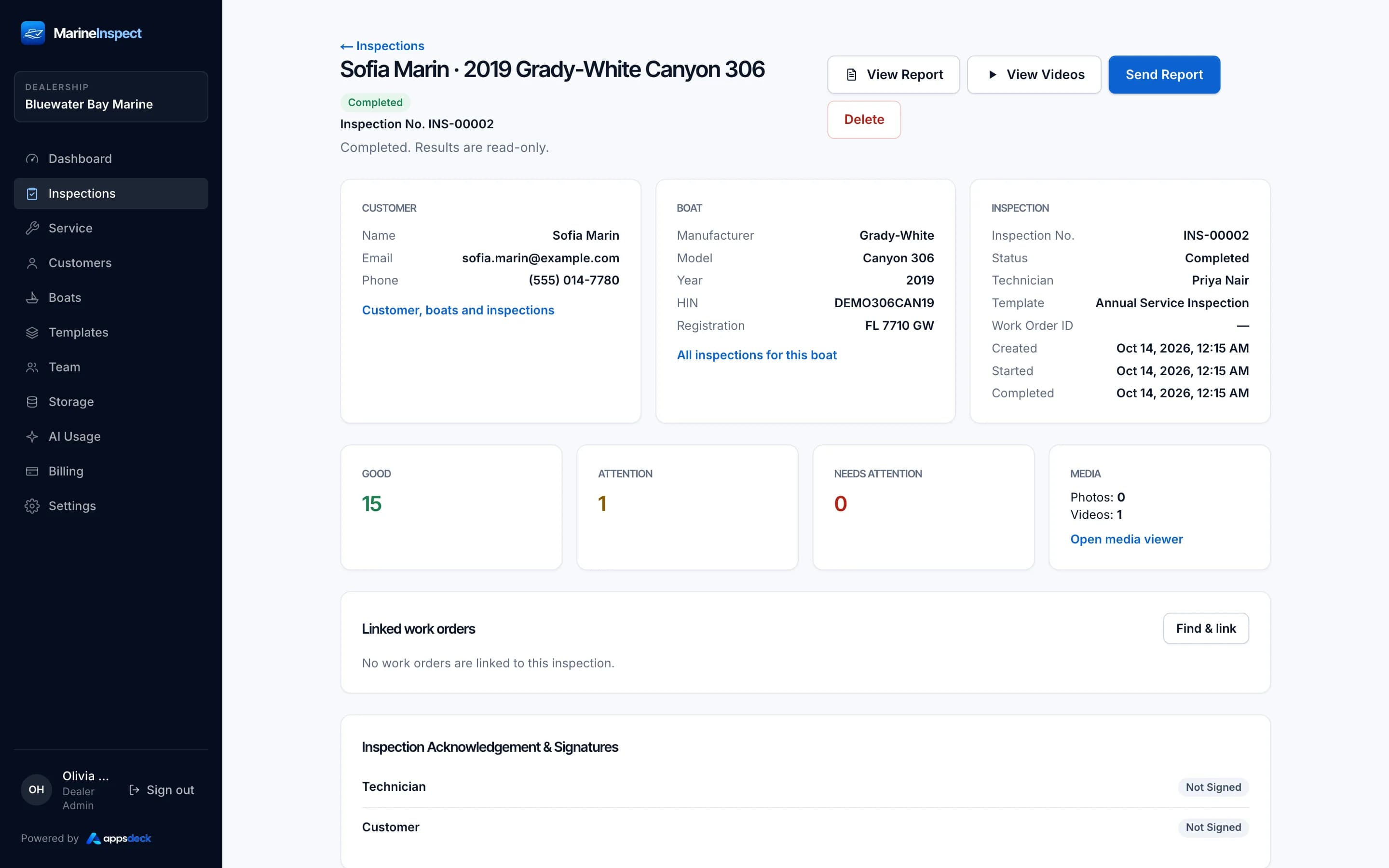
Inspection detail
Checkpoint results, notes, photos and videos for each section.
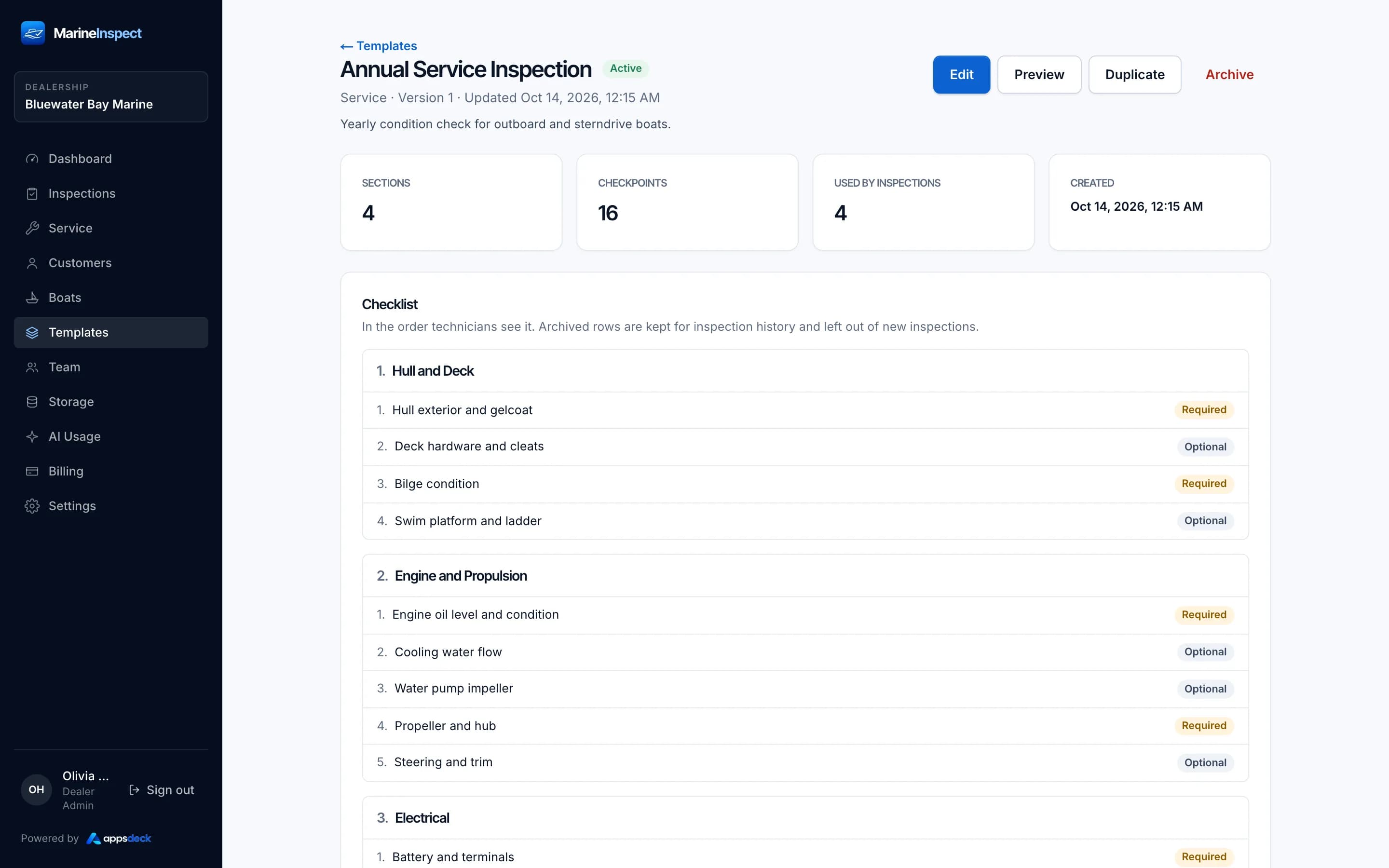
Inspection template
Build your own inspection templates with sections and checkpoints.
MarineService
Service operations.
Work Order management
Create, schedule and track Work Orders from draft to completion, numbered per dealership.
Multiple Jobs per Work Order
Split a visit into Jobs, each with its own tasks, parts, labor and technician.
Work Types
Define kinds of work with a default labor rate and shop supplies rule.
Task management
Break each Job into tasks, mark required tasks, and track them to done.
Parts catalog and imports
A searchable dealership parts catalog, with bulk import validated on the server.
Parts and labor
Record parts and labor lines on each Job. Technicians never see part costs.
Shop supplies
Percentage or fixed shop supplies per Work Type, with an optional cap.
Discounts and tax calculations
Job discounts and tax rates for parts, labor and shop supplies, worked out in one place.
Technician assignments
Give a Work Order a default technician, and override it on any Job.
Scheduling
Day, Week and Technician views of the schedule, with conflict warnings.
Time tracking
Technicians start and stop a timer on the Job. Times come from the server, not the phone.
Assignment and schedule history
Every assignment and schedule change is recorded, whoever made it.
Inspection links and findings
Link Work Orders to inspections of the same boat, and create Jobs from findings.
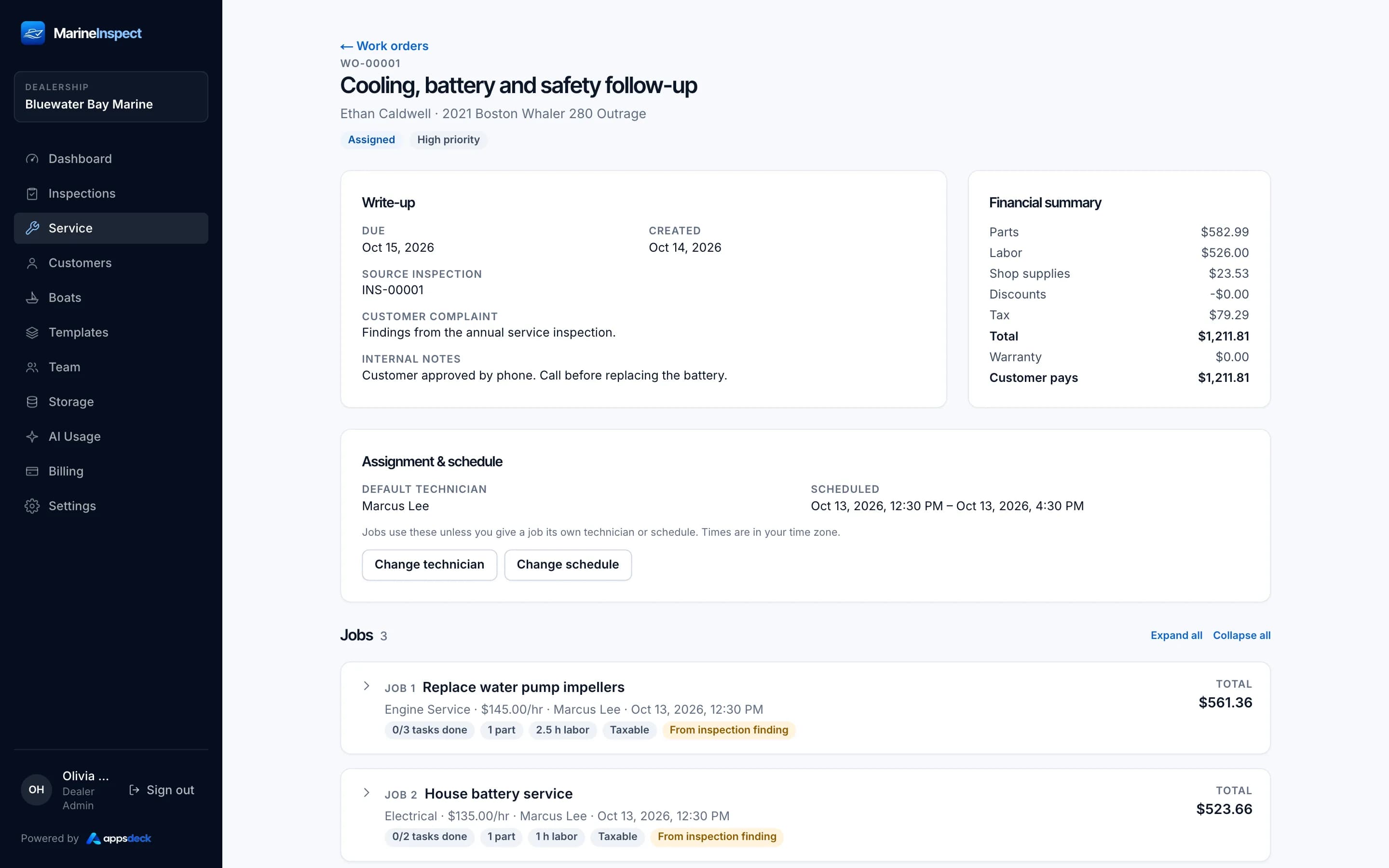
Work Order detail
Jobs, tasks, parts and labor for one Work Order.
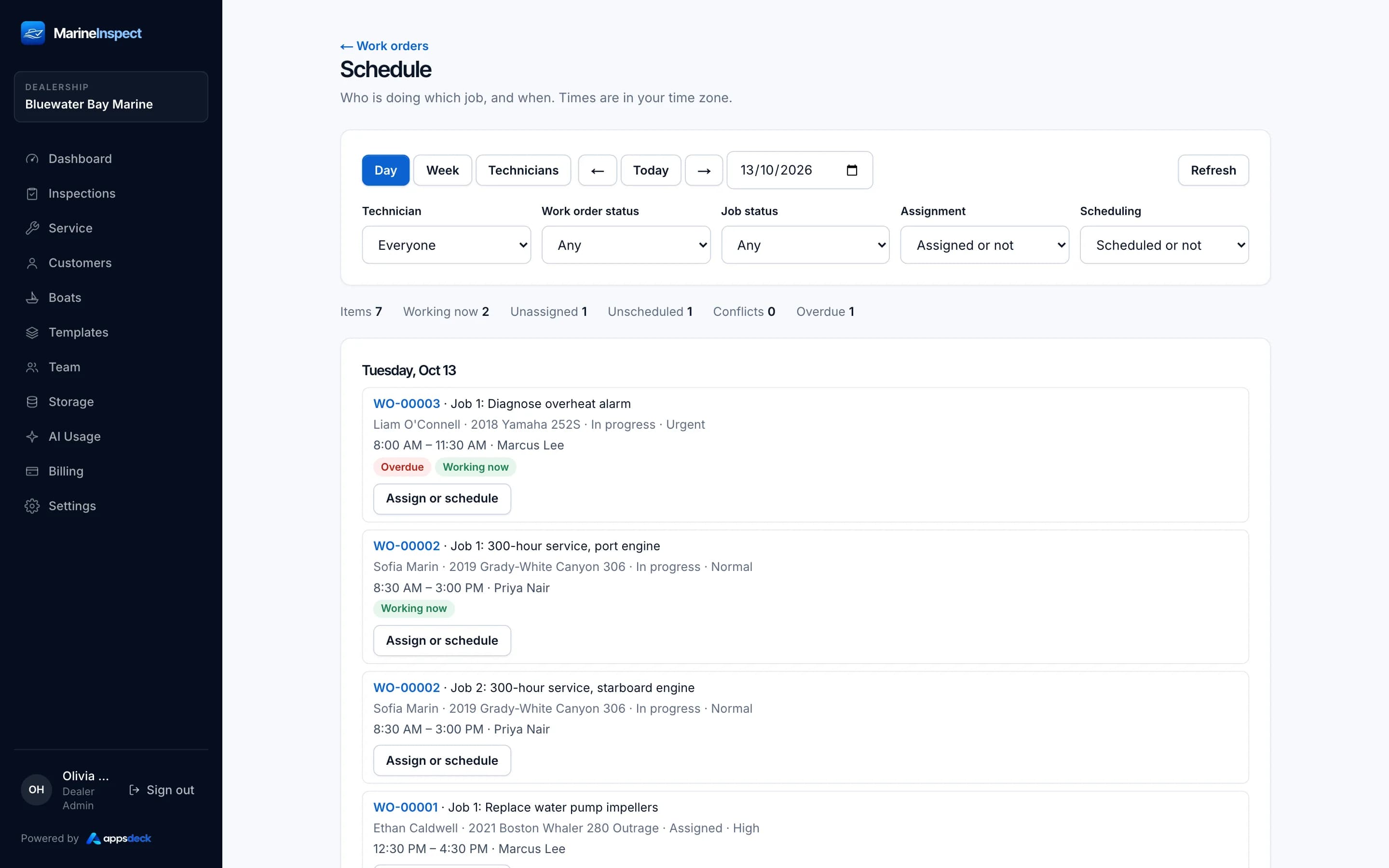
Scheduling: Day view
Plan the day across technicians and Jobs.
Platform
Shared across both modules.
Desktop portal
Dealer Admins and Managers run inspections, service and the team from the browser.
Mobile app
Technicians inspect boats and work their assigned Jobs on iPhone and Android phones.
Role-based access
Dealer Admin, Manager and Technician permissions are enforced on the server.
Dealership isolation
Every record belongs to one dealership. Row-level security keeps it that way.
Team management
Invite your team, change roles and deactivate users from the desktop portal.
Billing in the portal
Your Dealer Admin chooses a plan, pays and adds seats from Billing.
AI
AI that helps, and a person who decides.
On plans with AI. Nothing is saved until someone confirms it.
Document capture
Read customer and boat details from a photo of the paperwork.
Always reviewed
Uncertain values are flagged for a person to check.
Template drafts
Draft an inspection template with AI, then edit it.
Monthly allowance
Usage is shown in the portal. Not part of the free trial.
Roles
Who can do what.
Permissions are enforced on the server.
| Capability | Dealer Admin | Manager | Technician |
|---|---|---|---|
| Desktop portal | Yes | Yes | No |
| Mobile app | Yes | Yes | Yes |
| Run inspections | Yes | Yes | Yes |
| Build inspection templates | Yes | No | No |
| Create and plan Work Orders | Yes | Yes | No |
| Work assigned Jobs and tasks | Yes | Yes | Yes |
| Track time on Jobs | No | No | Yes |
| See part costs | Yes | Yes | No |
| Team, billing and settings | Yes | No | No |

Start managing your dealership smarter.
Try Marine Apps free for 14 days. Explore MarineInspect and MarineService with your dealership team. No payment details required.
- 14 days free
- No payment details
- Both modules included